
LoaderSave StorySave this storyCommentLoaderSave StorySave this storyIf you print more than the average person, you may want to consider ditching traditional ink printers for a laser printer at home. Laser printers have a few advantages over inkjet printers, the biggest of which is speed. Because there’s no ink to dry, laser printers generally print much faster. They also tend to be more cost effective, with toner cartridges costing more than ink cartridges up front, but printing more pages, although I’ve generally found ink tank printers even more economical if that’s your main concern.
The biggest downside to laser printers is typically a lower level of detail, particularly when mixing colors, so you’ll want to opt for something else if you plan on printing full color photos. Because they use heat to bond the toner with the paper, they may melt paper with plastic in it, like windowed envelopes or sticker sheets, so you’ll want to avoid them if anything but matte paper and cardstock are in the cards for you.
While I spent time with all of the printers below and found them satisfactory, I would still push most home users towards an ink tank printer. You’ll have a lower cost per page, lower upfront costs, and the option to print crisp photos and on alternative papers. Check out our roundup of the best printers I’ve tested for the most updated info.
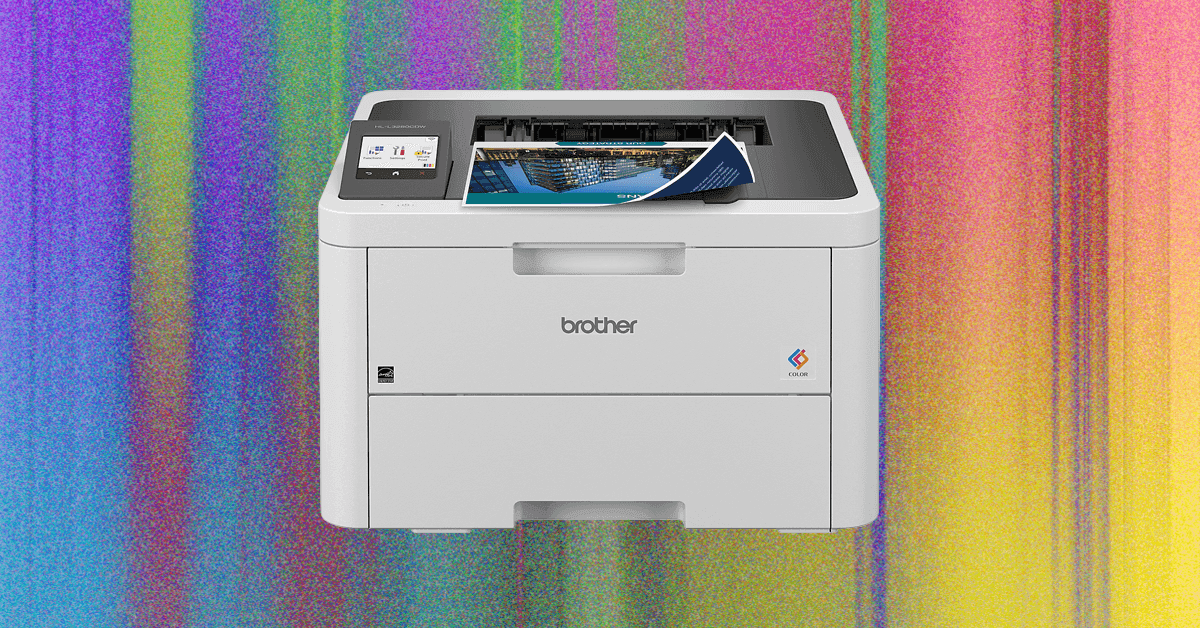
- Best for Most PeoplePhotograph: Brad BourqueSave to wishlistSave to wishlistBrotherHL-L3280CDW$345 Amazon$300 StaplesOf all the laser printers I’ve tested, I’ve been the most impressed with the Brother options for regular home use, and the 3280CDW is my pick of the bunch for most folks. It prints very quickly, requires little-to-no maintenance, and connects and prints consistently. It even does well with one sheets and other pages with simple color blocks, but like most laser printers, the color banding isn’t as appealing for photos or gradients.Unlike my black and white only pick, it also includes a color touchscreen, which I found helpful for both setup and any random errors or notices that came up during everyday use.SpecsMaximum DPI2,400 x 600ConnectivityWi-Fi, Ethernet, USBPaper HandlingInput: 250, Output: 150
- Grayscale WorkhorsePhotograph: Brad BourqueSave to wishlistSave to wishlistBrotherHL-L2460DW$180 Amazon$160 StaplesIf you truly never need color printing, you might also consider the Brother HL-L2460DW. What it lacks in color, it more than makes up for with even faster printing and crisp, warm pages. This simply appointed printer fits particularly well into situations like classrooms where you just need lots of printouts in a hurry, or for a warehouse shelf where it will print dozens or hundreds of packing slips on a daily basis. I’ve often found that printers with fewer features work more consistently, and this Brother strikes the right balance of functional and straightforward.The biggest struggle here was getting the printer set up and connected. With a smaller readout and fewer buttons, you’ll need to be a little patient the first time.SpecsMaximum DPI1,200 x 1,200ConnectivityWi-Fi, Ethernet, USBPaper HandlingInput: 250, Output: 100
- For Power PrintersPhotograph: Brad BourqueSave to wishlistSave to wishlistHPColor LaserJet Pro MFP 3301sdw$539 $500 (7% off) Amazon$490 StaplesIf your side hustle involves printing hundreds of full page color brochures and scanning dozens of documents, the HP LaserJet Pro MFP 3301sdw will be your favorite coworker. It has basically every feature you could ask for in a high-end laser printer, with a rapid printing speed at a high dpi. In addition to a flatbed scanner, the LaserJet Pro features a proper document scanner, which is particularly useful if you scan in a lot of signed forms or documents.All laser printers struggle with complex colors, photos, and art, but the HP had smoother gradients and less banding than I saw on other color laser printers. I still wouldn’t use it as a primary photo printer, but it’s certainly a point in the OfficeJet’s favor, and helps justify the high price tag.SpecsMaximum DPI600 x 600ConnectivityWi-Fi, Ethernet, USBPaper HandlingInput: 250, Output: 100
- Reliable SpeedPhotograph: Brad BourqueSave to wishlistSave to wishlistXeroxC320$396 AmazonThe Xerox C320 takes all the speed and consistency of its much larger copy machine cousins and crams it into a housing that I’d call almost home office sized. It’s one of the fastest printers on the list, perfect for massive stacks of handouts or the latest draft of your upcoming novel. Given Xerox’s business heritage, setup took a little bit longer than some of my other picks, but my computer had no issues recognizing and printing to it, and it’s extremely consistent.If you just need the printing and not the scanning, and only occasionally print in full color, the Xerox might be a better option in the long term.SpecsMaximum DPI1,200 x 1,200ConnectivityWi-Fi, Ethernet, USBPaper HandlingInput: 250, Output: 170
Power up with unlimited access to WIRED. Get best-in-class reporting and exclusive subscriber content that's too important to ignore. Subscribe Today.
Brad Bourque is a contributor for WIRED with a focus on computing hardware and peripherals. He’s a lifelong Oregonian and an avid Portland Thorns and Timbers supporter. On his days off, you can find him riding his ebike around Portland or taking his dog to the park. ... Read MoreContributorRead MoreSave $100 On Our Favorite Home PrinterThe Epson ET-2980 is a great value at its full price, and the discount sweetens the deal.The Best Qi2 and MagSafe Power Banks for Your PhoneKeep your iPhone or Qi2 Android phone topped up with one of these WIRED-tested Qi2 or MagSafe portable chargers.The Best Wireless Chargers to Refuel Your Phone (or Watch)Stop fumbling for cables in the dark. These WIRED-tested stands and pads will take the hassle out of refueling your phone, wireless earbuds, and watch.Pack an Apple 3-in-1 Wireless Charger for Your Next TripKeep your trio of Apple gadgets fully charged wherever you are with these compact folding travel chargers.Which Microsoft Surface Is Best for You?Surface Pro or Surface Laptop? Here’s how to decide which Microsoft device is right for you.Razer's Huntsman V3 Pro 8KHz Is a Track-Focused Keyboard for Competitive GamingThis esports keyboard isn't particularly comfortable, but it's incredibly competitive.The Best MicroSD Cards I've TriedEverything you need to know about memory cards for cameras, video game systems, and more.The New Dell XPS 14 Laptop Is an Incredible ComebackSporting a refined design and incredible integrated GPU performance, the Dell XPS 14 is the return to form I hoped it would be.The Cordless Vacuums Made for Your Entire HomeClean your house without the constraint of a power cord with these cordless stick vacuums.The Best Ebike Locks for Protecting Your Pedal-Powered Motor VehicleThese are our favorite ebike locks for every ride, including the best bike locks designed to thwart angle grinders.The Best 3-in-1 Apple Wireless ChargersKeep your iPhone, Apple Watch, and AirPods topped up with these WIRED-tested docking systems.These Cheap Monitors Legitimately Shocked Me by How Good They WereYou might assume all monitors under $200 are terrible. But after trying some out, I found a few that defy expectations.Wired CouponsSquarespace Promo CodeSquarespace Promo Code: 20% Off Annual Acuity Subscriptions
LG Promo Code: 20% Off Your First Order
10% Off Dell Coupon Code for New Customers
30% Samsung Coupon - Offer Program 2026
Up to $500 Off Canon Cameras
50% Off Doordash Promo Code For New & Existing Users


