
The 3D printing revolution has democratized manufacturing, but even the most advanced printers often lack practical accessories that can streamline workflows and prevent costly mistakes. For hobbyists and professionals alike, the ability to print your own upgrades is a game-changer—saving hundreds of dollars while solving persistent problems like stuck prints, tangled filament, and messy cleanup. Whether you’re a seasoned maker or just starting out, these 10 printable accessories can transform your 3D printer from a basic tool into a precision machine. Each solution is designed to address real-world frustrations, from delicate print removal to efficient filament management, all with minimal effort and maximum utility.
Key Takeaways: Why Printable 3D Printer Accessories Are a Game-Changer
- Printable accessories eliminate the need for costly third-party upgrades, offering custom solutions tailored to your specific printer model.
- Essential tools like bed scrapers, filament spoolers, and junk chutes solve common frustrations such as stuck prints and messy filament cleanup.
- Many of these accessories are designed to be simple to print and assemble, requiring minimal materials and no advanced technical skills.
- Community-driven designs on platforms like MakerWorld and Printables ensure compatibility with a wide range of 3D printers.
- Investing time in printable upgrades can significantly improve print quality, reduce waste, and extend the lifespan of your printer.
Why Your 3D Printer Needs These Accessories: Solving Common Frustrations
Even the most reliable 3D printers come with inherent limitations that can turn a simple print job into a frustrating ordeal. One of the most common complaints among users is the struggle to remove prints that stubbornly cling to the print bed. This isn’t just an inconvenience—it can lead to damaged models, wasted filament, and even misaligned prints in subsequent jobs. Similarly, filament management poses its own set of challenges, from unwinding spools to the tedious process of respooling. For those who frequently switch between materials or colors, keeping track of filament properties—such as transparency, strength, and flexibility—can feel like a guessing game without proper testing tools. Additionally, the cleanup process after a print is often overlooked, with purged filament and debris cluttering workspaces and posing hazards. These issues aren’t just minor annoyances; they directly impact the efficiency, cost, and quality of your 3D printing projects.
The 10 Best 3D Printer Accessories You Can Print at Home
1. Effortless Print Removal: Bed Scrapers and Their Alternatives
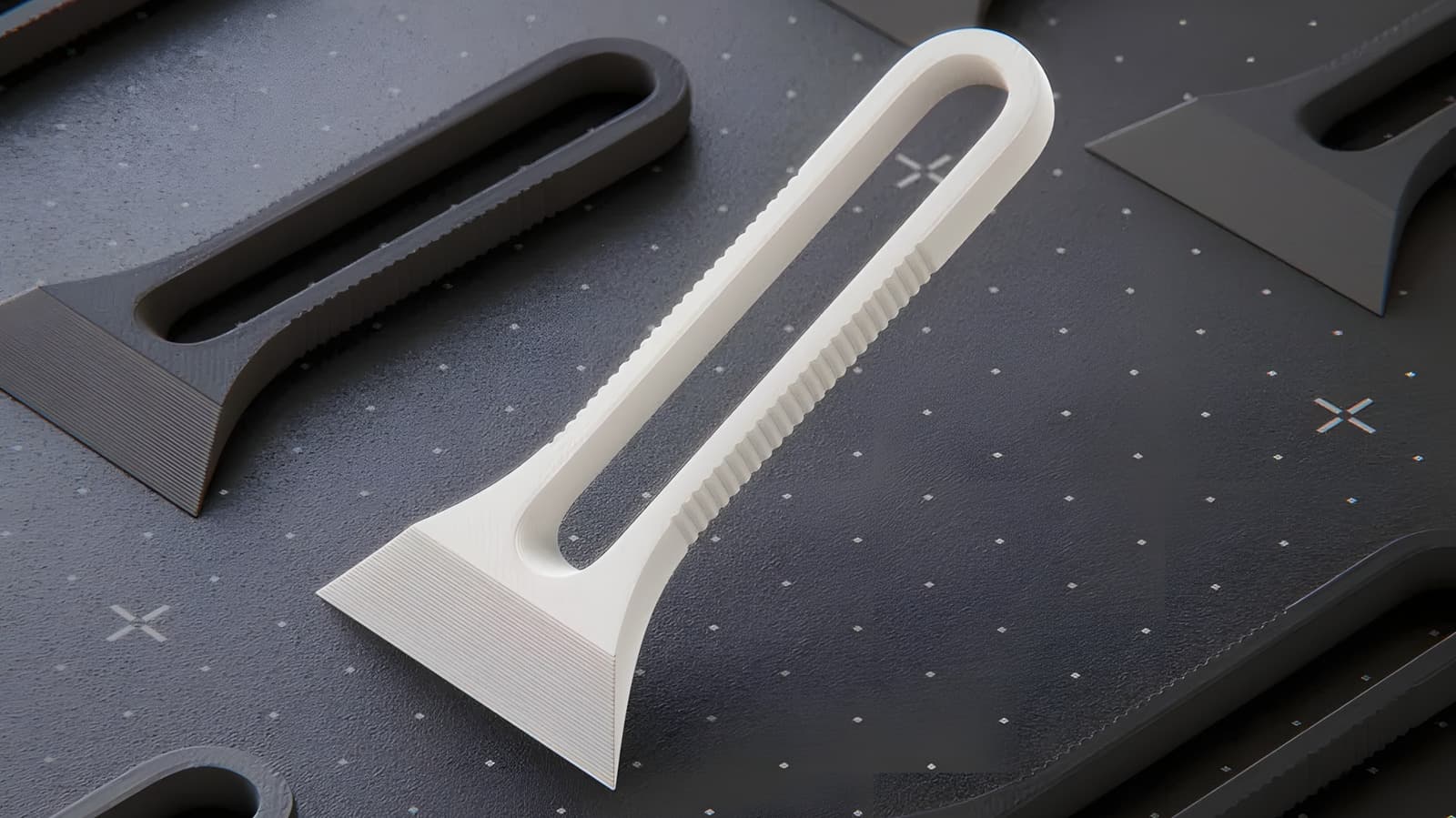
Removing a finished 3D print from the bed is a task that can make or break a print job. Traditional metal scrapers often scratch the print surface or require excessive force, risking damage to both the print and the bed. Enter the printable bed scraper—a purpose-built tool designed to gently pry prints loose without compromising their integrity. One standout option is the Bambu Lab Scraper by Stephanos, which features a removable blade design secured with just two screws. While the scraper itself doesn’t include the blades, users are advised to purchase injection-molded blades in bulk from online retailers for optimal performance. It’s important to note that the screws used in this design are compatible with those found on the Bambu scraper; otherwise, an M3 variant may be necessary.
The Bambu Lab Scraper’s removable blade design makes it one of the most adaptable options for users who frequently switch between different print surfaces or materials. The ability to replace blades on the fly ensures longevity and precision, reducing the risk of damage to your prints."
For those who prefer a simpler solution, the Mini Bed Scraper by Jonas Daehnert offers a non-replaceable blade that’s quick to reprint once worn. Alternatively, if you opt for a metal blade, consider pairing it with the Bambu Lab Scraper Cap by exopunk to protect both the print and the bed during removal. These tools are not just about convenience—they’re about preserving the quality of your work and extending the life of your printer’s components.
2. Streamlining Filament Management: Spoolers and Winders
Filament management is a critical yet often overlooked aspect of 3D printing. Whether you’re transferring filament from a bulk spool to your printer’s standard size or dealing with a tangle mid-print, disorganized filament can lead to wasted material and failed prints. The Simple Filament Respooler For Drill by timon.nabholz is a compact, printable solution that leverages a cordless power drill to respool filament efficiently. The design includes a threaded clamp to secure the spool, while a separate spool roller by Jakub Lattenberg can be used to hold and spin the secondary spool, making the process seamless.
For those who respool filament frequently, the Pastamatic Filament Spool Winder by GekoPrime offers a more robust alternative. This geared assembly holds and turns both spools simultaneously, requiring only a standard power drill to drive it. While it involves a few minutes of assembly and includes a video guide for reference, the result is a tool that’s as simple as it is effective. For occasional users, the simple respooler is likely sufficient, but serious makers will appreciate the Pastamatic’s durability and convenience.
3. Keeping Workspaces Clean: Junk Chutes and Bins
3D printers purge excess filament during nozzle cleaning or filament changes, a process often referred to as "junking." Without a proper containment system, this purged material can end up scattered across your workspace, creating a mess and posing a cleanup hazard. The X1C/P1S/P2S Junk Chute Tube by ImBadAtCad directs purged filament into a receptacle below the printer, such as a waste bin placed under the table. This is particularly useful for larger printers like the Bambu Lab X1C or Creality Ender 3 series, where purging can create significant debris.
For printers with limited space, such as the Flashforge Adventurer 5X, the Junk Bin by Molodos offers a compact square receptacle that’s easy to remove and empty. If your printer is pressed against a wall, the X1C P1P P1S Junk Chute Bin by eclien combines a chute and bin into a single unit, making it ideal for tight spaces. For high-volume printers or users who prefer less frequent cleanup, the Anycubic Kobra X Printer Junk Bin by Spezi provides ample capacity to handle larger purging jobs. These designs are tailored to different printer models, but the concept remains universal: keep your workspace clean and your prints high-quality.
4. Organizing Filament Swatches for Better Color and Material Selection
For makers who experiment with multiple filaments or colors, keeping track of material properties can be a challenge. Filament swatches—small test prints that showcase a material’s color, transparency, strength, and flexibility—solve this problem by providing a tangible reference. The spinning filament swatch box by TheChrisgamer organizes swatches by color on a carousel-like system, making it easy to rotate and select the right filament for each project. While the design doesn’t require a ball bearing (it can be printed directly), adding one enhances smoothness. The compact size and sleek design make it a favorite among enthusiasts who value organization.
If a carousel isn’t your style, the Linear Filament Swatch Holder V2 by Buddz offers a straight-line alternative that’s equally efficient. This design is ideal for users with limited desk space or those who prefer a more linear approach to filament organization. For a modular solution, the Modular Filament Swatch Palette by Valera Perinski mimics the paint color sample racks found at hardware stores, allowing users to customize the number of swatches as needed. These tools not only save time but also reduce material waste by ensuring you select the right filament the first time.
5. Simplifying Printer Maintenance: Lubrication and Cleaning Tools
3D printers rely on precision mechanical components like lead screws and linear rails to achieve accurate movements. Over time, these parts require lubrication to maintain smooth operation, but applying lubricant can be messy and time-consuming. The P & X Series lube helper by SavageLau is a printable tool designed to streamline this process. Its angled half-circle notch holds lubricant, which can then be dragged along lead screws and linear rails without getting your hands dirty. The design is easy to print and highly effective, with a secondary version available for reaching screws and rails that the primary tool can’t access.
Before lubricating, it’s essential to clean the screws to remove debris or old lubricant. The Bambu Lead Screw Cleaning Tool by WileyWicks addresses this need with a clamp that squeezes an alcohol prep pad tightly against the screw, dislodging grime from the threads. While some users initially reported insufficient clamping force, the creator released a Version 2 to address this issue. Both the lube helper and cleaning tool are invaluable during routine maintenance, ensuring your printer operates at peak performance.
6. Customizable Build Plates and Adhesion Aids
Achieving proper bed adhesion is a persistent challenge in 3D printing, especially for materials like PETG or flexible filaments that struggle to stick to standard build plates. While many users rely on hairspray or glue sticks, printable solutions offer a more permanent and reusable alternative. The BuildTak-style build plate adhesion sheets are popular among makers, but printing your own custom adhesion aids can further enhance performance. For example, the "3D Printable Build Plate Adhesion Sheet" by Thingiverse user "myminifactory" provides a textured surface that mimics commercial adhesion sheets, offering a cost-effective way to improve first-layer adhesion.
Another innovation is the "Adjustable Z-Offset Tool," which helps dial in the perfect first-layer height for different materials. By printing this tool and using it to fine-tune your printer’s Z-offset, you can eliminate issues like elephant foot or poor layer adhesion. These accessories are particularly useful for users who frequently switch between materials like ABS, PLA, and TPU, each of which requires different bed adhesion strategies.
7. Noise Reduction: Vibration Dampeners and Silent Stepper Motor Upgrades
3D printers, especially those with open frames, can generate significant noise during operation, which can be disruptive in shared living spaces. Printable vibration dampeners can reduce this noise by absorbing vibrations from the printer’s frame and moving components. The "Silent Stepper Motor Dampener" by Printables user "3DPrintingWorld" is designed to fit around stepper motors, reducing the hum and whirring sounds commonly associated with 3D printing. Installing these dampeners is a simple process that can transform your printer into a quieter, more workspace-friendly machine.
For users willing to dive deeper, printable replacements for stock stepper motor mounts can further enhance silence by reducing resonance. These mounts, often made from flexible materials like TPU, absorb vibrations more effectively than rigid plastic or metal alternatives. While this upgrade requires more advanced printing skills, the result is a noticeably quieter printing experience.
8. Cable Management Solutions for Tidy Workspaces
A cluttered workspace isn’t just an eyesore—it can lead to accidental cable disconnections, tangled wires, and even printer malfunctions. Printable cable management solutions, such as the "3D Printer Cable Chain" by Thingiverse user "wolfman316," organize cables and hoses to prevent snags and improve airflow. These chains guide cables along the printer’s frame, reducing the risk of entanglement during prints. For printers with multiple extruders or heated beds, custom cable chains can be designed to accommodate specific setups, ensuring a clean and functional workspace.
Another useful accessory is the "Printable Cable Sleeve," which bundles multiple cables together to reduce clutter and improve aesthetics. These sleeves can be printed in flexible materials like TPU for a snug fit or in rigid materials for added protection. By implementing these solutions, users can create a safer, more organized printing environment that’s easier to maintain.
9. Cooling Fan Ducts for Better Print Quality
Proper cooling is critical for achieving high-quality prints, especially with materials like PLA that require consistent airflow to prevent warping or stringing. Printable cooling fan ducts can direct airflow precisely where it’s needed, improving layer adhesion and reducing print defects. The "PLA Cooling Fan Duct" by Printables user "ThantiK" is a popular choice for Ender 3 and CR-10 printers, providing targeted cooling for overhangs and bridges. For multi-fan setups, custom ducts can be designed to coordinate airflow across the entire print surface.
Users printing with high-temperature materials like ABS or PETG may require adjustable fan ducts that allow for fine-tuned airflow control. Printable ducts with multiple speed settings or removable sections can accommodate these needs, ensuring optimal cooling for every material. These upgrades are particularly beneficial for users who print complex geometries or large models where consistent cooling is essential.
10. Tool Storage: On-Printer Organizers for Essential Accessories
Keeping your 3D printing workspace organized is key to efficiency, and printable tool storage solutions can help. The "On-Printer Toolbox" by Thingiverse user "MakersMuse" is a compact, printable organizer that attaches directly to your printer’s frame, providing storage for scrapers, tweezers, and other essential tools. For larger setups, modular toolboxes can be printed in sections and connected to create a custom storage system.
Another useful option is the "Filament Guide and Spool Holder," which combines a spool holder with a guide for directing filament to the printer. This dual-purpose accessory reduces tangling and keeps your workspace tidy. By integrating these tools directly into your printer, you can minimize clutter and ensure that everything you need is within arm’s reach during a print job.
Where to Find Printable 3D Printer Accessories
The 3D printing community thrives on collaboration and innovation, with countless enthusiasts sharing their designs on platforms like MakerWorld, Printables, and Thingiverse. These repositories offer a vast library of accessories tailored to specific printer models, from the Bambu Lab X1C to the Prusa i3 MK3S+. When searching for accessories, users can filter designs by printer compatibility, material requirements, and user ratings to find the best options for their needs. Additionally, many creators provide detailed assembly instructions, videos, and troubleshooting tips to ensure successful implementation.
For those looking to customize existing designs, CAD software like Fusion 360 or Tinkercad can be used to modify dimensions or add features. The open-source nature of these platforms encourages experimentation, allowing users to create accessories that perfectly match their workflow. Whether you’re a beginner or an expert, the 3D printing community offers endless possibilities for innovation and improvement.
The Future of Printable 3D Printer Accessories
As 3D printing technology continues to evolve, so too will the accessories designed to enhance its functionality. Advances in materials science, such as the development of flexible and composite filaments, are opening new avenues for printable accessories that were previously impossible. For example, TPU-based vibration dampeners or carbon fiber-reinforced scraper blades could offer superior performance compared to traditional materials. Additionally, the rise of AI-driven design tools may soon allow users to generate custom accessories tailored to their specific printer and printing habits.
The community-driven nature of 3D printing ensures that innovation remains at the forefront of the hobby. As more users share their designs and experiences, the ecosystem of printable accessories will continue to expand, offering solutions to problems we haven’t even encountered yet. For makers, this means greater customization, improved efficiency, and the ability to push the boundaries of what’s possible with their printers.
Frequently Asked Questions About Printable 3D Printer Accessories
Frequently Asked Questions
- How do I know if a 3D printer accessory is compatible with my printer?
- Most printable accessories come with a list of compatible printer models or dimensions in their description. Always check the design’s specifications and user reviews to ensure it will fit your printer’s frame or components. If no direct compatibility is listed, you can often modify the design using CAD software to match your printer’s measurements.
- What type of filament should I use to print these accessories?
- For accessories that require durability or flexibility, materials like PETG or TPU are ideal. PLA is suitable for less critical parts, such as swatch holders or cable management tools, due to its ease of printing. Always check the designer’s recommendations for the best results.
- Can printable accessories really improve the performance of my 3D printer?
- Yes! Accessories like bed scrapers, junk chutes, and cooling fan ducts address common issues that can degrade print quality or waste material. By enhancing adhesion, reducing mess, and optimizing cooling, these tools can lead to smoother, more reliable prints and a longer lifespan for your printer.


