
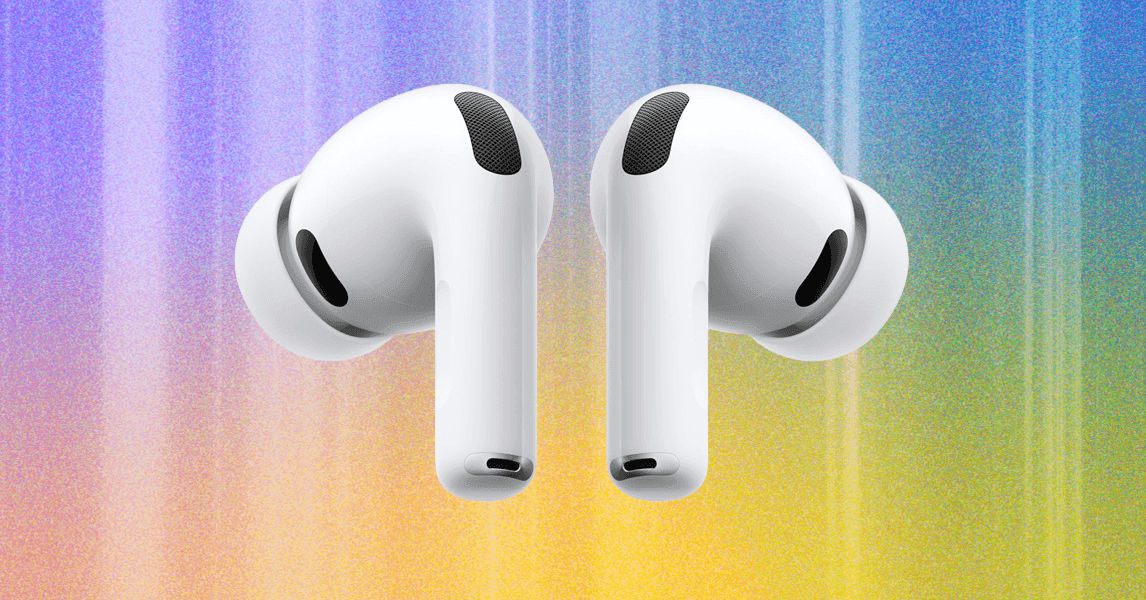
LoaderSave StorySave this storyCommentLoaderSave StorySave this storyFeatured in this articleBest OverallApple AirPods Pro 3Read more$249 $219 (12% off) Amazon
Best HeadphonesApple AirPods Max (USB-C)Read more$549 $449 (18% off) Amazon
Best for WorkoutsBeats Powerbeats Pro 2Read more$249 Amazon
A Beats Alternative to Standard AirPodsBeats Studio Buds +Read more$170 $100 (41% off) Amazon
Apple’s first AirPods were beloved for one primary reason: they actually worked. At a time when most other wireless earbuds were barely usable due to connection woes, the original AirPods offered a slick design, flawless connection, and a seamless experience with your iPhone and other Apple devices. A lot has changed since then, but the AirPods’ ability to unlock the best from Apple gear has only grown, especially as the brand branched out into new, more advanced models like the AirPods Max and the indelible AirPods Pro.
Which AirPods are right for you? That depends on a few factors, from your budget to your tendency to use devices outside Apple’s so-called “walled garden.” If you want the simplest answer for you iPhone, the AirPods Pro offers the best performance for your dollars from nearly every angle. But there’s more to the story, especially since Apple has increasingly brought the best AirPods features to the Beats lineup for those outside Apple's ecosystem. Here are the best AirPods and Beats buds for every user and any use case.
Check out our Best Wireless Headphones, Best Wireless Earbuds, Best Open Earbuds, and Best Cheap Headphones guides for recommendations that span well beyond Apple's kingdom.
Updated February 2026: We've updated this post to include all the latest AirPods and Beats options we recommend. We've also updated pricing, and added all the top new features.
Apple's latest flagship buds, the AirPods Pro 3, are its best AirPods yet. You'll get improved noise canceling, transparency mode so realistic it almost feels like open earbuds, new tools like heart rate sensing and live translation, fabulous call quality, and clear (if bassy) sound. As usual, they work brilliantly with Apple gear, including features like seamless connection and automatic swapping between iCloud devices, “Hey, Siri” on demand, Find My support, spatial audio for virtual 3D listening, and more.
The latest hardware has changed in subtle ways, including new low-noise microphones for calling, a better fit with more eartip options, and improved battery life. One of my favorite things about the Pro is that Apple tends to improve them after release via firmware updates. Past examples include Adaptive Audio, added to the AirPods Pro 2 and continued here, combining noise canceling and transparency modes that adjust to your environment. From travel to workouts, this is a killer package for anyone with an iPhone.
Apple’s AirPods Max are a very different kind of AirPods, but despite their bulky size and weird, bra-like case, they remain an excellent option nearly six years on. We’ve seen some modest upgrades over the years, including USB-C connection in 2024, as well as new features in 2025, like lossless audio support at up to 24-bit/48-kHz resolution when plugged into an Apple device updated with iOS 18.4, iPadOS 18.4, and macOS Sequoia 15.4 or later.
What hasn’t changed is their impressive noise canceling, crystal clear transparency mode, and refined sound quality with excellent instrumental definition and expansive stereo spacing. Their aluminum chassis is hearty but heavy, and their battery life of 20 hours lags behind competitors like Sony’s WH-1000XM6, Bose’s QuietComfort Ultra 2, and others. Those knocks aside, Apple lovers looking for seamless device integration and Apple-friendly features in a powerful pair of over-ears won’t be disappointed.
- Best for WorkoutsPhotograph: Ryan WaniataSave to wishlistSave to wishlistBeatsPowerbeats Pro 2$249 Amazon$249 Walmart$250 AppleWhatever you're into, the Beats Powerbeats Pro 2 will come along and stay in place. Their comfier (and slimmer) earhooks are just the start of what was a total revamp of the previous pair. You'll now get good noise canceling and transparency mode, and advanced fitness features like a heart rate monitor, helping. make tothese among our favorite workout headphones you can buy. Their use of Apple's H2 chip means you get the keys to Apple's castle for seamless iPhone pairing, auto-switching between Apple devices, Find My support, and hands-free Siri, among other options.Like other Beats buds, the Powerbeats Pro 2 straddle the mobile aisle for Android users, including a dedicated Android app, one-touch pairing, and customization options. As you'd expect from Beats, the sound is tuned for snazzy treble and deep bass, yet I came to really appreciate their attention to finer details, even if instruments and voices feel overexcited. With up to 10 hours of battery life, they're built to step out without their large charging case, and while the controls are touchy, they're marvelously simple.SpecsConnectivityBluetooth 5.3 (Apple H2 Chip)Battery life (ANC)10 hours, 45 with caseWater/dust resistanceIPX4
- A Beats Alternative to Standard AirPodsPhotograph: Ryan Waniata
The Studio Buds+ are getting long in the tooth, but they remain a favorite AirPods alternative for Android and Apple users alike. They include basic active noise cancellation, transparency mode, and support for spatial audio. They're quite comfortable and extremely easy to use thanks to handy exterior dials with physical control buttons. They even come in cool transparent color options.
Features across both Apple and Android devices include one-touch pairing, automatic device switching, and Find My support. Sound quality is clear and relatively well-balanced. It's possible they'll be replaced by Beats soon, but they're still a good option, especially since they can sometimes be found on sale for as low as $100. At that price, they're a steal—especially compared to the generally inferior AirPods 4.
- Photograph: Parker HallAvoid These AirPodsThe Apple AirPods 4 (2024) are Apple's latest version of its entry-level AirPods. You'll have the choice between the standard version ($129) or the model with ANC ($179). Unfortunately, they still lack eartips for a proper seal, which makes the noise canceling barely noticeable, and their battery life is among the worst in the industry. Plenty of other options perform better for less money—including options from Beats. The only good reason to buy the standard AirPods is if you, like my brother, simply can't keep regular earbuds with dedicated eartips in your ears—a shockingly common problem.SpecsConnectivityBluetooth 5.3 (Apple H2 Chip)Battery life (ANC)4 hours, 20 hours with caseWater/dust resistanceIP54
- Photograph: Christopher NullAbout Those Older AirPodsApple doesn't release new AirPods each year. You may be able to save money by going with an older version, but that's hardly a guarantee, depending on how long you wait between cycles.AirPods Pro (2nd Generation): The previous AirPods Pro are still great earbuds. They could be a good fit if you can find them for a steep discount, but that's becoming harder to do. They've got competitive noise canceling and natural transparency mode, good sound, tons of features, and, of course, seamless integration with Apple devices.AirPods Pro (1st Generation): These came out in 2019, so you'll only find them used or refurbished. They come with noise cancellation, transparency mode, adaptive EQ, and spatial audio. They're powered by an H1 chip, which is the same as the one in the AirPods (3rd Generation). I would not recommend buying earbuds this old unless you're up for a gamble.AirPods (3rd Generation): Similarly, the last-gen standard AirPods are difficult to find outside refurbished sites, and you may even pay more for them than the latest model. They suffer from the same semi-open fit that creates a poor seal as all standard AirPods, and don't include noise canceling, but do add features like spatialized audio and pinch controls. I would not recommend most folks buy these unless they're the only buds that fit your ears.
If you've never used AirPods before, or it's been awhile since you upgraded, I'm here to help! Here are some answers to general questions, from what kind of features you can expect to how to clean your buds.
Yes, you can use AirPods with non-Apple devices, since they use the standard Bluetooth protocol. But you'll lose out on features like Siri integration, device switching, and the ability to customize shortcuts or adjust software features. In contrast, Beats headphones offer a mix of Apple-friendly features and Android features, including a dedicated Android app and features like one-touch pairing.
Yes! If you lose an AirPod, you can buy a replacement for the right or left AirPod through Apple. AppleCare+ doesn't cover lost or stolen AirPods, so it will cost you. You can use Apple's “Get an Estimate” tool to calculate the possible cost. The same applies if you lose the Charging Case. Your replacements will be new versions.
If you can't hear audio in one AirPod, make sure your case is fully charged. Plug the case in, and place both AirPods in the case and charge them for at least 30 seconds. Next, open the charging case and use your iPhone or iPad to check that each AirPod is charging. Put both AirPods in your ears and test the audio. If that doesn't work, you could try to reset your AirPods.
Start by checking your connections. If you have the AirPods or AirPods Pro, make sure the case is fully plugged in or properly set on the wireless charger (use Apple cables or Magsafe chargers if possible). Allow your AirPods to charge for at least 15 minutes. If you have the AirPods Max, allow them to charge for at least five minutes. Then, open the case and hold them near your iPhone or iPad. You should then see the charging icon appear when looking at the battery status. If that doesn't work, contact Apple Support.
If you have the AirPods 3 (or newer), AirPods Pro (all versions), and AirPods Max, you can track your AirPods using the Find My app. First, make sure Find My turned on by going to your device's Settings app, tapping on your AirPods, and scrolling down to Find My. If it's already on, go to the Find My app, and under the Devices tab, tap on your AirPods. From there, you'll see the exact location of both your left bud and your right bud. If you're nearby, you can also press Tap Sound to listen for beeps. If you have the AirPods Pro (2nd generation) or newer along with an iPhone 11 or newer, you can also use Precision Finding.
If your AirPods show “No location found” or “Offline,” this means they're out of range or need to be charged, so you'll only see their last known location. At that point, you might be able to get directions, but you won't be able to use Find Nearby or play a sound. You'll get a notification on your Apple device if they do come back online.
Yes. You can use a soft, dry, lint-free cloth to wipe down the AirPods, AirPods Pro, and AirPods Max. But there are other additional steps you can take, depending on the type of AirPods you have. Apple has steps on how to properly clean each version here, and we've also got a full guide on how to clean your earbuds.
If your AirPods won't connect, you should start by checking that your iPhone, iPad, and Mac are all updated to the latest version of their respective operating systems. Then, make sure both AirPods are charging, Bluetooth is on (Settings > Bluetooth), and double-check that AirPods appear in your list of devices via Settings and that they're selected. If they aren't on the list, hold the button on the back of the charging case until the status light flashes and follow the onscreen instructions.


