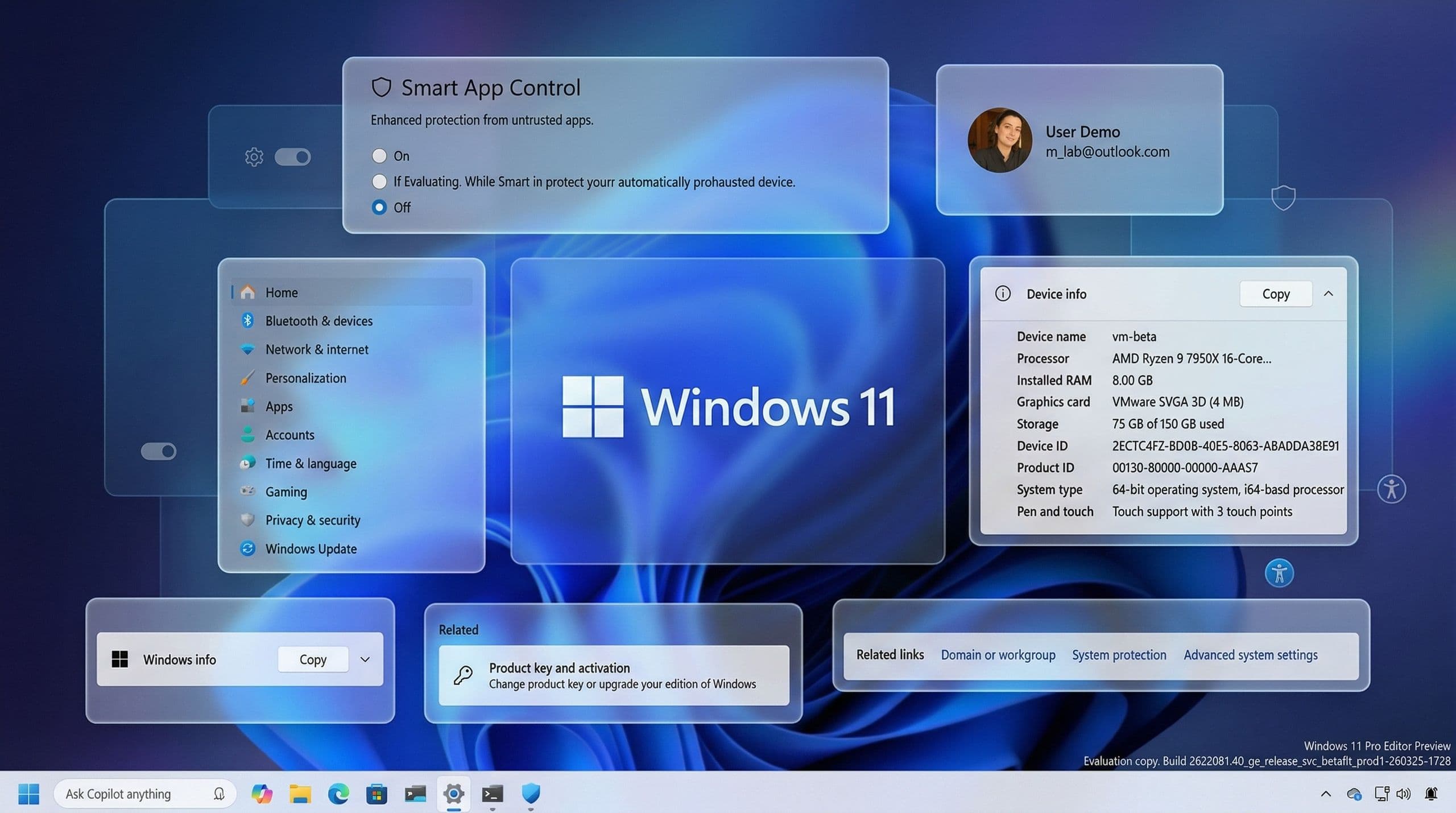
In a rare public mea culpa, Microsoft has unveiled a sweeping, year-long plan to restore trust in Windows 11, acknowledging years of criticism over intrusive AI features, sluggish performance, and disrupted workflows. On March 20, 2024, Pavan Davuluri, the newly appointed Windows chief—tasked with rebuilding the operating system’s reputation—published a detailed roadmap promising transformative changes to performance, reliability, and user experience. The initiative begins with immediate fixes rolling out this month, including long-overdue customizations like repositioning the taskbar and reducing Copilot’s omnipresence, before scaling into deeper architectural improvements aimed at making Windows 11 feel as responsive and stable as its predecessor, Windows 10.
- Microsoft is launching a phased Windows 11 overhaul in response to widespread user dissatisfaction, starting with taskbar customization and reduced AI intrusions this month.
- Key improvements include faster File Explorer performance, fewer disruptive updates, and memory efficiency gains to support devices with 8GB RAM.
- The plan addresses core frustrations: inconsistent Start menu latency, unreliable Windows Hello sign-ins, and the lack of basic customization like moving the taskbar.
- Microsoft is prioritizing transparency and user control, particularly around AI integration, to rebuild trust after years of aggressive default browser and search engine tactics.
- Developers and businesses will benefit from enhanced WSL performance, enterprise policy controls, and streamlined Linux integration.
Why Microsoft’s Windows 11 Overhaul Matters: A Crisis of Trust and Performance
Windows 11’s reception has been among the most divisive in Microsoft’s history, with critics and longtime users accusing the company of prioritizing half-baked AI experiments and marketing gimmicks over foundational usability. The backlash peaked in 2023 when Microsoft began aggressively promoting Edge and Bing within the OS—even resorting to popup warnings falsely labeling rival browsers as ‘insecure’—while rolling out underwhelming AI features like Copilot that often felt like beta-quality experiments shoehorned into stable software. Davuluri’s acknowledgment that Microsoft had misread user priorities—with feedback pointing to a demand for ‘quieter defaults’ and less distraction—marks a rare pivot toward humility for a company that has historically treated Windows as a showcase for its latest visions, regardless of user sentiment.
The Roots of Windows 11’s Unpopularity: AI Overreach and Stagnant UX
Windows 11 launched in October 2021 with a radical redesign that alienated many users by removing familiar features like the centered taskbar and Start menu, replacing them with a more tablet-oriented interface that felt jarring on desktops. The rollout was marred by compatibility issues, driver problems, and a steep learning curve for power users. By 2023, Microsoft’s push to integrate AI—culminating in Copilot’s debut as the default assistant—exacerbated frustrations. Users reported erratic behavior, unexpected costs for ‘Pro’ AI features, and a sense that Microsoft was treating Windows as a Trojan horse for its Bing and Edge ecosystem, despite Chrome and Firefox dominating the browser market. Public forums like Reddit and Microsoft’s own Feedback Hub became echo chambers for complaints about ‘forced updates,’ ‘bloated software,’ and ‘Microsoft’s arrogance.’
The crisis reached a tipping point in late 2023 when the U.S. Department of Justice filed an antitrust lawsuit against Google over its default search engine deals—a case that indirectly spotlighted Microsoft’s own aggressive tactics in bundling Edge and Bing into Windows 11. While the DOJ’s suit targeted Google, it underscored broader concerns about anti-competitive practices in the tech industry, putting Microsoft on notice. Davuluri’s tenure, which began in late 2023, reflects a strategic shift: Microsoft is no longer prioritizing flashy AI demos but is instead focusing on the unglamorous work of fixing the OS’s core plumbing—performance, reliability, and user control.
Phase 1: Immediate Fixes Rolling Out Now—What’s Changing in March and April
Microsoft’s first wave of improvements, arriving in late March 2024, targets the most visible pain points for users. The centerpiece is a long-overdue change: the ability to reposition the taskbar to the top or sides of the screen—a feature absent since Windows 7 and sorely missed by power users who prefer vertical taskbars for multitasking. Alongside this, Microsoft is dialing back Copilot’s integration in core apps like Snipping Tool, Photos, and Notepad, reducing the AI assistant’s intrusiveness without eliminating it entirely. ‘We heard from users who want less noise and more control,’ Davuluri wrote, acknowledging that Copilot’s omnipresence had crossed the line from ‘helpful’ to ‘annoying.’
File Explorer Gets a Much-Needed Overhaul—Faster, Smoother, Less Flicker
File Explorer, the backbone of Windows for decades, has been a frequent target of criticism for its sluggishness and visual glitches. Microsoft is addressing this head-on with updates designed to reduce ‘flicker’ during navigation, speed up launch times, and improve the reliability of everyday file operations like copying and moving large files. The company promises ‘faster launch and responsiveness for common file tasks,’ a change that could significantly boost productivity for business users and creatives alike. For context, File Explorer’s performance has lagged behind competitors like macOS Finder, which has long offered smoother animations and quicker responses. Microsoft’s move to modernize File Explorer aligns with its broader push to make Windows 11 feel less like a beta product.
Updates Get Less Disruptive—Fewer Restarts, More Control
One of the most persistent complaints about Windows has been its update system, which often forces restarts during critical work or setup processes. Microsoft is finally addressing this by introducing a single monthly reboot requirement for most updates, along with the ability to pause updates indefinitely—a feature long available in macOS and Linux but absent in Windows until now. Users will also gain the ability to restart or shut down their devices without being forced to install pending updates, a change that could save countless hours of lost work. ‘We’re reducing the friction of updates,’ Davuluri noted, signaling a rare acknowledgment that Microsoft’s update philosophy had become outdated.
Phase 2: Deeper Architectural Changes—What’s Coming Later in 2024
Beyond the immediate fixes, Microsoft’s roadmap for 2024 delves into the OS’s plumbing, targeting performance bottlenecks that have plagued Windows 11 since launch. The company is prioritizing three core areas: system responsiveness, memory efficiency, and reliability—areas where Windows 11 has underperformed compared to Windows 10. ‘We’re focused on how fast Windows 11 starts and responds, how stable it is, and how consistent it feels to use,’ Davuluri explained. These changes are not merely cosmetic; they represent a fundamental rethinking of how Windows 11 consumes resources, with implications for both consumer and enterprise users.
Memory Efficiency: A Lifeline for 8GB RAM Devices
The global RAM shortage has made low-memory devices a reality for many users, particularly in emerging markets and among budget-conscious buyers. Microsoft is targeting this pain point by reducing Windows 11’s ‘baseline memory footprint,’ freeing up more capacity for user apps. This change is particularly significant for Windows OEMs like Dell, HP, and Lenovo, which have struggled to ship competitively priced systems with 8GB RAM as prices for memory chips remain elevated. Apple’s MacBook Air with M1 chip, which handles daily tasks with just 8GB RAM, has set a new standard for efficiency—one Microsoft is now racing to meet. If successful, this could pave the way for a new wave of affordable Windows laptops that rival Apple’s price-to-performance ratio.
Start Menu Latency and WinUI 3: The Push for Snappier Interactions
One of the most glaring shortcomings of Windows 11 has been its sluggish Start menu and taskbar interactions, which often lag behind Windows 10’s responsiveness. Microsoft is addressing this by migrating more core OS components to WinUI 3, its modern native user interface framework. While Microsoft has promised WinUI 3 improvements for years, Windows 11’s launch revealed that the framework was not yet mature enough to handle high-performance tasks. Davuluri’s commitment to ‘reducing latency’ suggests Microsoft is finally prioritizing WinUI 3’s development, though the company has not provided a timeline for when these changes will be felt by users. For power users who rely on keyboard shortcuts and rapid app switching, this could be a game-changer.
Reliability Overhauls: Fewer Crashes, Better Device Wake
Windows 11’s reliability has been a sore spot, with frequent OS-level crashes, driver conflicts, and issues with Windows Hello biometric authentication—particularly in low-light conditions where facial recognition fails. Microsoft is promising fewer crashes by improving the stability of areas like the Windows Insider Program, driver compatibility, and app performance. Notably, the company is also addressing ‘device wake’ inconsistencies, a long-standing issue for laptops and handheld gaming PCs that often fail to resume correctly from sleep mode. ‘We’re committed to making Windows 11 more dependable,’ Davuluri stated, a goal that, if achieved, could finally silence critics who dismissed Windows 11 as a ‘beta release.’
User Control and Personalization: The Push for ‘Quieter Defaults’
At the heart of Microsoft’s reset is a commitment to user control—a stark contrast to the company’s past approach, which often prioritized its own products (Edge, Bing) over user choice. Davuluri’s roadmap includes promises to make AI integration ‘more transparent, with choice and control,’ signaling that Microsoft is backing away from the aggressive tactics that sparked backlash. The widgets section, for example, will gain more personalization features while defaulting to ‘quieter’ settings, reducing the noise that has plagued Windows 11’s notification system. Additionally, Microsoft is overhauling the search experience in the taskbar and Start menu to provide ‘clearer and more trustworthy results,’ distinguishing between local files and web searches—a change that could reduce reliance on Bing.
The Missing Piece: Respecting Browser Defaults
Despite the broader concessions, Microsoft has stopped short of committing to respecting third-party browser defaults—a core demand from users and regulators. The company’s 2023 tactics, including popup warnings falsely labeling Chrome as ‘insecure,’ drew widespread criticism and contributed to the DOJ’s antitrust scrutiny. While Davuluri’s roadmap mentions ‘being thoughtful about how and where we bring AI into Windows,’ it does not address the browser issue directly. This omission suggests Microsoft may be waiting for regulatory clarity before revisiting its default search engine policies, a move that could come later in 2024 if antitrust pressure intensifies.
Developer and Enterprise Focus: WSL, Policy Controls, and Enterprise Management
Microsoft is also catering to developers and businesses with targeted improvements. The Windows Subsystem for Linux (WSL) is getting a major upgrade, with faster file performance between Linux and Windows, improved network compatibility, and a ‘streamlined first-time setup’ process. For enterprises, Microsoft is introducing stronger policy controls around WSL and better management capabilities, addressing long-standing complaints from IT administrators who struggled with WSL’s integration into corporate environments. These changes could make Windows 11 a more viable platform for developers who rely on Linux tools, particularly in cloud and DevOps workflows.
Windows Hello and Biometric Authentication: A Return to Reliability
Biometric authentication via Windows Hello has been a mixed bag for users, with facial recognition failing in low-light conditions and fingerprint sensors sometimes misreading inputs. Microsoft is promising ‘more reliable facial recognition’ and ‘faster, more dependable fingerprint sign-ins,’ changes that could restore confidence in Windows Hello as a secure and convenient login method. The improvements are particularly relevant for business users who rely on Windows Hello for secure access to corporate networks. If successful, these changes could also address concerns about Windows Hello’s vulnerability to spoofing attacks, a criticism that has dogged the feature since its debut.
The Road Ahead: Testing in the Windows Insider Program
Microsoft’s promises will be stress-tested in the months ahead by the Windows Insider community, a group of enthusiasts and power users who have long served as Microsoft’s beta testers. The company is also rolling out a redesigned Feedback Hub to make it ‘faster and easier’ to submit feedback, a tacit acknowledgment that the previous system was clunky and ineffective. ‘Thank you for holding us to a high standard,’ Davuluri wrote. ‘Windows is as much yours as it is ours.’ The Insider Program’s role in shaping Windows 11’s future underscores Microsoft’s shift from a top-down development model to a more collaborative approach—one that acknowledges user feedback as a critical driver of change.
Will Microsoft’s Fixes Be Enough to Win Back Users?
Microsoft’s Windows 11 overhaul is a high-stakes gamble that could either restore the company’s credibility as a steward of its flagship OS or reinforce perceptions that it has lost touch with its user base. The changes address many of the most glaring flaws in Windows 11, from performance bottlenecks to intrusive AI features, but they stop short of addressing the browser default issue—a sticking point for users and regulators alike. Whether these fixes will be enough to win back power users, enterprise customers, and developers remains to be seen. What is clear, however, is that Microsoft has finally listened to its critics, a rare and welcome development in an era where tech giants often double down on controversial decisions.
Frequently Asked Questions
Frequently Asked Questions
- When will the Windows 11 taskbar customization feature arrive?
- Microsoft plans to roll out the taskbar repositioning feature in late March 2024, with additional customization options arriving in April as part of the first phase of updates.
- Will these changes make Windows 11 run better on 8GB RAM devices?
- Yes. Microsoft is focusing on reducing Windows 11’s memory footprint to free up more RAM for apps, which could significantly improve performance on devices with 8GB of RAM.
- Does Microsoft’s plan address the browser default issue in Windows 11?
- No. While Microsoft is making other concessions around AI and performance, it has not committed to respecting third-party browser defaults, a major point of contention for users and regulators.