
A Mashable Choice Award is a badge of honor, reserved for the absolute best stuff we’ve tested and loved.
I haven't always been an iOS user. Before I finally gave into peer pressure and bought my first iPhone, I was a satisfied Android user. But while testing out the Samsung Galaxy S26 Ultra, I was tempted to make this stunner of a smartphone my new go-to.
Now, the fact that I'm opening a review of the new flagship Samsung Galaxy smartphone with a reference to Apple kind of gives away the game. In January, Apple eclipsed Samsung to become the top global smartphone brand. This, despite the fact that Apple still doesn't have a foldable phone. (Yes, I'm still lusting after the Galaxy Z TriFold.)
For my Galaxy S26 Ultra review, I spent two weeks with this flagship. I took 1,461 photos and 93 videos. I doomscrolled in bed. I made so many frivolous demands of Gemini, Perplexity, and Bixby. I even used it to report live from an Apple event.
And the more time I spent with it, the harder it was to go back to my iPhone.
Samsung Galaxy S26 Ultra: First impressions
In this era of iterative upgrades, let's answer an important question right off the bat: What's new?
The S series is overdue for camera upgrades, and Samsung delivered. (Keep scrolling for unedited photos from my camera tests.) You also get a new custom processor, the Snapdragon 8 Elite Gen 5 for Galaxy processor. As Samsung — along with every mobile brand — adds more and more AI features, updated chips let you do more on-device. Better processors also mean better battery life.
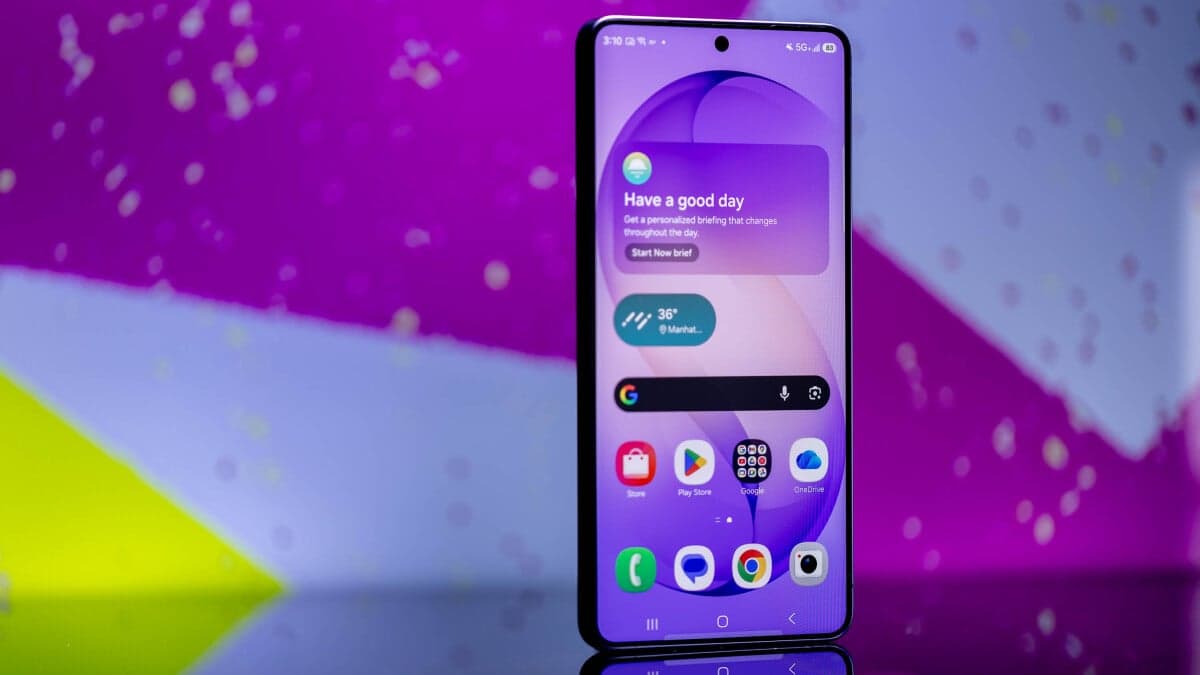
In addition, Samsung has a cool new hardware feature, which isn't something we often see anymore. I'm talking, of course, about Privacy Display, by far its coolest trick.
Apple's big mobile innovation recently was the iPhone Air, which has largely fallen flat. Meanwhile, Samsung phones are folding, folding again, and bringing new display tech like Privacy Display.
As ever, the phone's got impressive specs:
- Refresh rate: Adaptive refresh rate up to 120Hz
- Processor: Snapdragon 8 Elite Gen 5 for Galaxy processor
- Storage: 256GB, 512GB, 1TB storage options
- Battery: 5000 mAh (31 hours of video playback)
- Durability: IP68 rated, Corning Gorilla Armor 2, Corning Gorilla Glass Victus 2
Refresh rate: Adaptive refresh rate up to 120Hz
Processor: Snapdragon 8 Elite Gen 5 for Galaxy processor
Storage: 256GB, 512GB, 1TB storage options
Battery: 5000 mAh (31 hours of video playback)
Durability: IP68 rated, Corning Gorilla Armor 2, Corning Gorilla Glass Victus 2
Setting Privacy Display settings. Credit: Joe Maldonado / Mashable
Seeing a notification black out as you tilt the screen feels like a magic trick the first time you see it.
This is really frickin' cool. Credit: Joe Maldonado
As someone who spends a lot of time scrolling through Instagram, X, and other social media apps on the subway, you never know when an NSFW image might pop up. There are tons of potential use cases here: drama-filled group chats. Smutty romance books on the Kindle app. Checking your bank balance.
One word of caution: Privacy Display doesn't black out your screen quite as much as pictures make it seem. The effect is noticeable and should stop casual snoopers, but it's not a total blackout.
All the tech reporters I know (myself included) have been geeking out over Privacy Display. But when I've shown non-techies the feature, they've sometimes been underwhelmed.
Left: Privacy Display in action. Credit: Joe Maldonado / Mashable
Right: Credit: Joe Maldonado / Mashable
I still think it's really frickin' cool, FWIW.
Galaxy S26 Ultra: Performance, handfeel, and being too much
Why did I say that the Galaxy S26 Ultra is too much phone? Just check out the Geekbench 6 performance score.
The new Ultra received a multi-core score of 10,827, which is 10.7 percent higher than the iPhone 17 Pro Max's 9,778 score. It's also a sizable jump from the S25's 10,049 (and a huge leap from the S24 Ultra's 6,675). It also received a single-core score of 3,524.
For context, that means the new Snapdragon 8 Elite could power a laptop (Apple just proved that mobile chips can power laptops with the MacBook Neo). Its single-core score, a good measure of everyday performance, is higher than some elite gaming laptops.
I pushed this phone to the limit, shooting 4K videos in 120 frames per second while running dozens of apps, yet the phone never slowed down. And thanks to the newly improved vapor chamber, overheating wasn't a problem. It's all very impressive.
So, with such impressive performance, why am I not convinced this will be my new daily smartphone?
Because size matters, and it's just too damn big. I have large hands, but the S26 Ultra is super unwieldy. I've been describing it as a two-hander phone. Fortunately, it's slim enough that it fits easily into my pockets (it's a little slimmer than the last model). And yet. The feel in my hand never felt quite right because of the size.
Ultimately, I'm not sure I need this much phone, both literally and figuratively. That said, I think this is a very future-proofed smartphone for hardcore techies.
Strangely, while Samsung initially said the new Ultra has a 10-bit display, the company later clarified it's actually an 8-bit display. That means the display natively displays 16.7 million colors and simulates 10-bit (1.07 billion colors), using software to make up the difference.
Maybe you'll be able to tell, but I doubt it. Here's what really matters: The 6.9-inch 120Hz Dynamic AMOLED display is gorgeous. It's also an HDR10 display with peak HDR brightness of 2,400 nits.
Samsung has started describing its flagship handsets as "AI smartphones," and the Korean tech giant has added enough AI integrations to justify the name. That's either a positive or a negative, depending on how you feel about AI.
Gemini, Perplexity, and Samsung's AI assistant Bixby all come preloaded on the phone. You can even long-press the side button to instantly pull up Gemini. You can ask questions by text or voice, share your screen and go live with Gemini, or use the new Circle to Search feature. Gemini even customizes the options based on what's on the screen, so if you're on a website, it will offer to read or summarize the page.
Samsung also added a lot of AI image features to the Galaxy experience. You can generate images, add or edit photos with AI, and erase details from the background. Crucially, Samsung labels AI-generated content, which I'm really glad to see, as deepfakes and AI slop are a growing problem.
You can edit images with AI in seconds. Credit: Timothy Werth / Mashable


