
Loader Save Story Save this story Comment Loader Save Story Save this story Featured in this article Best iPhone Overall Apple iPhone 17 Read more $799 Apple
The Cheapest iPhone Apple iPhone 17e Read more $599 Apple
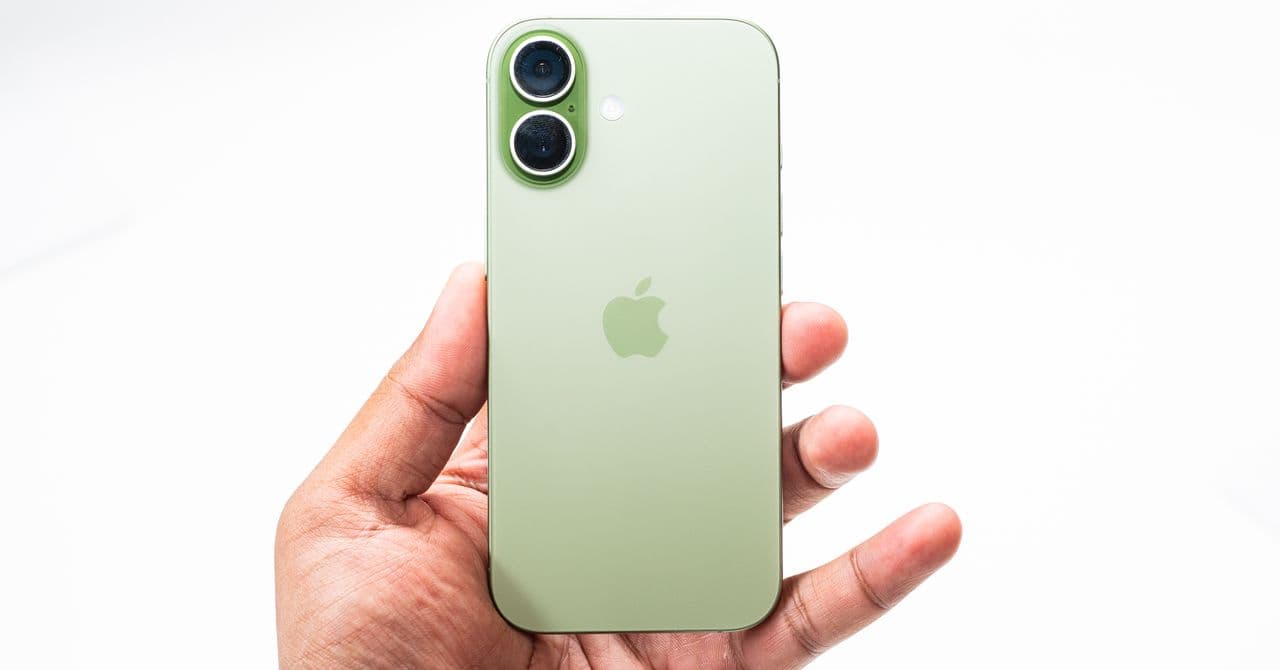
The Midrange iPhone Apple iPhone 16 and iPhone 16 Plus Read more $699 Apple (Both)
The Ultimate iPhone Apple iPhone 17 Pro and iPhone 17 Pro Max Read more $1,099 Apple (Pro)
Apple sells seven iPhone models, from the $599 iPhone 17e to the $1,199 iPhone 17 Pro Max , but what's the best iPhone for you? This is a good time of the year to buy an iPhone, if you need to upgrade, as Apple just released its budget option , filling out the iPhone lineup. I’ve tested every model and outlined its strengths and weaknesses so you can get the right one for you.
Check out our other Apple buying guides , including Which iPhone 17 Model to Buy , Best iPhone 17 Cases , Best iPhone 16 Cases , Best MagSafe Accessories , Best MagSafe Chargers , Best MagSafe Wallets , and Best Apple 3-in-1 Chargers . Wondering what's new in iOS 26 ? We have details on that, too.
Updated March 2026: We’ve added the iPhone 17e and the latest features from recent iOS updates.
But First, Sell That Old iPhone!
If you’re upgrading from an iPhone, you can trade it in to Apple for a small discount. Before you do that, check whether you can sell it elsewhere for more money. iPhones hold their value incredibly well, particularly if they’re in mint or good condition. We have a guide that runs through the process of selling your phone, and we generally recommend you use websites like Swappa , Gazelle , or Back Market .
We also have a handful of setup guides you should follow:
- How to Back Up Your iPhone
- How to Transfer Data to a New iPhone
- How to Factory Reset Your Old iPhone
- How to Set Up a New iPhone
- Key Settings to Change on Your iPhone
Buying From Apple vs. a Carrier
Most people in the US purchase iPhones from carriers, which means the devices are locked to that network. If you bought an iPhone from Verizon, that means you can't easily switch to another carrier without breaking a contract and paying extra fees. It also poses headaches for travelers who want to use international SIM cards when traveling.
The easier approach is to buy directly from Apple, though there are some things you should know:
Connect to any carrier later: Choose this option for the most hassle-free experience. You get an unlocked iPhone, and then all you need to do is transfer the SIM card from your old iPhone to the new one to get started. This might be painless, though you may need to contact your carrier if the iPhone can't complete the eSIM transfer. In the US, Apple hasn't included a SIM tray since 2022's iPhone 14.
Choose a carrier: If you choose a carrier through Apple.com, you will get an unlocked iPhone, no matter which carrier you choose (except if you purchase with AT&T on an installment plan). The downside is that Apple doesn't have the same offers as the carriers, so you may lose out on a deal. However, carrier offers often require new lines, trade-ins, or an upgraded plan, and the savings come in the form of bill credits, so these deals aren't as amazing as they may seem.
Finance: You can finance your iPhone either with Apple's credit card via monthly installments or as Apple iPhone Payments via a Citizens One loan. You need to choose a carrier here, but Apple confirmed these devices are all unlocked. You have to fill out a credit application to see if you qualify. If you opt to finance through a carrier on Apple.com, only the T-Mobile and Verizon models will be unlocked. The AT&T and Boost Mobile options are locked iPhones, so it's no different from buying it on an installment plan directly from those carriers.
iPhone Upgrade Program: Buying directly from Apple also nets you access to the iPhone Upgrade Program . Is it worth it? Broadly speaking, no. Most people do not need to upgrade to a new iPhone every single year. It's expensive, though it does include two years of the company's AppleCare+ protection plan. If you really want to get the latest iPhone every year, then this program makes more sense, but it's still expensive.
Photograph: Julian Chokkattu The most hyped-up feature from the iPhone 16 range was Apple Intelligence , which rolled out in iOS 18.1. This is Apple's suite of artificial intelligence features, following the wave started by the likes of ChatGPT and Google's Gemini . Apple Intelligence is available on the iPhone 15 Pro/Pro Max and newer, including the iPhone 16e (not to mention select iPads and MacBooks ).
What exactly is Apple Intelligence in the first place? It's a collection of features that draw on the power of large language models to introduce “smart” capabilities. For example, in the Voice Memo and Notes app, you can now start a recording and get a real-time transcription. You can even record a call and get the transcription saved in the Notes app. Siri has been redesigned to understand when you misspeak and can even plug into ChatGPT for more powerful responses to open-ended questions. There are writing tools available throughout the operating system that let you change the tone of your emails or proofread text so you don't make an unnecessary typo on Threads.
This is just a small sampling. I've boiled down many of the Apple Intelligence features here , and additional features keep rolling out in iOS updates. For example, Genmoji —which lets you create your own emojis—debuted alongside the AI image-generation app, Image Playground, in iOS 18.2. In iOS 26, Apple added real-time Live Translation over phone calls and in Messages, powered by Apple Intelligence. The Visual Intelligence feature has also been upgraded to scan the iPhone screen to answer any of your questions.
If you don't care for Apple Intelligence and want to turn it off, you can! We have a helpful guide detailing the exact steps .
Magnetic MagSafe wireless charging is available on the iPhone 12, iPhone 13, iPhone 14, iPhone 15, iPhone 16, and iPhone 17 models (except the iPhone 16e ), and it allows you to magnetically attach various accessories to the back of the iPhone. (iPhones support Qi2 , which is the open standard, whereas MagSafe is proprietary; you can use Qi2 accessories just like MagSafe.)
You can get first-party accessories like Apple's MagSafe Wireless Charger , which sticks to the back for faster charging. Or snag the MagSafe Wallet so you can keep your credit card attached to your phone. There are plenty of third-party accessories (you'll find quite a few in our guide ), and MagSafe doesn't just have to be charging accessories like power banks or wireless chargers . There is a wealth of useful tools, from wallets , tripods , and camera cages to notepads and ring lights that can attach to the back of the iPhone and add extra versatility.
If you plan to use a case, get one that has MagSafe embedded inside to ensure a strong magnetic connection with Apple's accessories (non-MagSafe cases can interrupt MagSafe and make the magnetic connection weaker). All of the cases in our case guides are MagSafe-tested by yours truly. And yes, a case is a smart investment because iPhones are made of glass, and glass breaks, even if Apple uses ceramic to strengthen it. I cracked my iPhone 16 Plus after a 4-foot drop to the pavement—that model's ceramic glass was supposed to be twice as strong as previous iPhones, too! Ouch. See my favorite cases for the iPhone 17 , iPhone 16 , iPhone 15 , and iPhone 14 ranges.


