
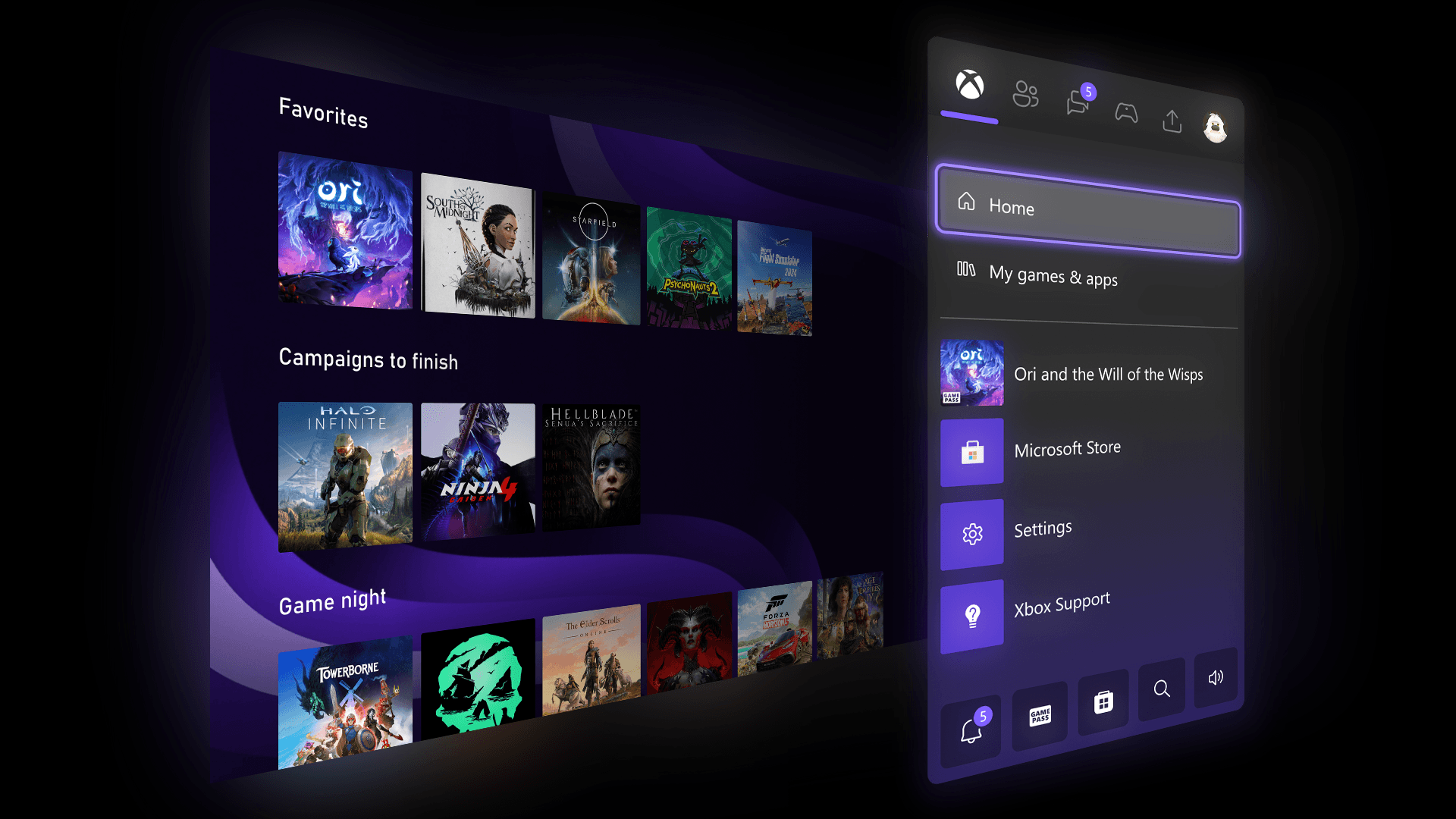
Today, Microsoft’s Xbox division kicks off a broad expansion of its Insider program with a slate of highly anticipated customization and usability improvements that will reach players in phases starting with select Insiders. The updates—spanning group management, visual personalization, Quick Resume control, and profile badge visibility—reflect the company’s ongoing strategy to let player feedback directly shape the console experience. Xbox says the changes will first appear to Insiders on Xbox Series X|S and Xbox One consoles before rolling out to all users with the April system update.
Xbox Insiders Begin Testing Expanded Home Group Customization and Personal Colors
Xbox is doubling down on Home screen personalization this week by introducing a series of updates requested by its Insider community. Chief among them is an expansion of group slots on the Home dashboard, increasing the limit from two to ten. The change allows players to organize and pin far more game and app collections directly to their landing view, streamlining navigation and reducing clutter.
Simplified Group Management Mirrors Game Tile Reordering
Microsoft has streamlined how users manage groups, adopting the same drag-and-drop interface used for reordering tiles in My Games & Apps. This unified approach lowers the learning curve and makes it easier to rearrange, rename, and pin groups directly from the Home screen. Xbox also added visual cues to indicate which groups are already pinned, helping prevent duplicate entries and improving overall organization.
Custom Color Palette Lets Players Define Their Console’s Identity
In a move long sought by the community, Xbox is introducing custom color support that lets players define their own hue across the user interface. Using intuitive sliders, users can dial in precise RGB values to create a unique aesthetic that extends from the Guide to game tiles and system menus. Xbox places subtle guardrails to maintain readability and consistency, and players can revert to system colors at any time. Importantly, custom color selections are preserved in settings, so switching back restores the last used personal shade. These custom colors will first appear among Insiders and become available to all users with the April update.
Quick Resume Gets Per-Game Control to Reset Stale Sessions
One of Xbox’s most beloved features, Quick Resume, receives a targeted usability upgrade that addresses frustration with stale game states after prolonged inactivity. Players can now disable Quick Resume on a per-game basis through two entry points: the More options menu within a game tile’s Quick Resume group, or via Manage game and add-ons > Quick Resume settings. This granular control ensures that certain titles—such as narrative-driven single-player experiences or competitive multiplayer games—always launch fresh, preserving intended experiences and avoiding corrupted save states.
Profile Badges Now Show Recent Milestones in the Guide
Xbox is enhancing social visibility by displaying a player’s five most recently unlocked profile badges directly within the Guide interface. When users open their own profile or view another player’s card, they’ll now see a compact carousel of the latest achievements, making it easier to showcase progress and milestones during multiplayer sessions and profile browsing. This subtle but meaningful change reinforces Xbox’s emphasis on recognition and community engagement.
How to Join the Xbox Insider Program and Provide Feedback
The Xbox Insider Program remains the company’s primary mechanism for gathering player insights before rolling out system updates. Interested users can enroll via the Xbox Insider Hub app, which serves as the central dashboard for testing pre-release features, submitting bug reports, and participating in surveys. For community support and discussion, Microsoft maintains an active presence on the Xbox Insider subreddit, where official staff, moderators, and fellow Insiders collaborate to troubleshoot issues and share best practices. Users are encouraged to search existing threads before posting new questions to ensure faster, more efficient responses.
Why These Updates Matter: The Broader Impact on the Xbox Ecosystem
These incremental but meaningful updates reflect a broader shift in Microsoft’s Xbox strategy: prioritizing player agency in customization while maintaining stability and performance. The expansion of group slots and introduction of custom colors speak to growing demand for self-expression in a console ecosystem that has historically offered limited visual personalization. Meanwhile, the per-game Quick Resume toggle addresses a persistent pain point for power users, reinforcing Xbox’s commitment to refining the out-of-the-box experience. As the Insider program continues to evolve, these changes set a precedent for how Microsoft listens to and integrates community feedback at scale.
What’s Next: Road Map and Community Involvement
Microsoft has signaled that the current wave of updates is only the beginning. The company has committed to rolling out additional Insider-led features throughout 2024, with a major public release scheduled for April. For now, Xbox Insiders are encouraged to test the new functionality, provide structured feedback via the Insider Hub, and engage with peers on the subreddit. The iterative approach—testing in small cohorts before broader deployment—remains central to Xbox’s product development philosophy.
- Xbox Insiders can now manage up to 10 groups on the Home screen, with intuitive drag-and-drop reordering mirroring game tiles.
- Custom color support debuts, allowing RGB-based personalization across the UI, with preservation of selections upon reverting to system colors.
- Per-game Quick Resume toggles let players disable the feature for specific titles, ensuring fresh launches after long inactivity.
- Profile badges now display the five most recent achievements in the Guide, enhancing social recognition.
- The rollout begins with select Insiders today, with a public April update for all users.
How to Get Started as an Xbox Insider
Enrolling in the Xbox Insider Program is straightforward and free. Players must first download the Xbox Insider Hub app from the Microsoft Store or via their console’s Apps section. After installation, they can opt into specific flighting rings—Sandbox for experimental builds, Preview for near-final updates, or Alpha Skip-Ahead for cutting-edge features—based on their risk tolerance. Once enrolled, participants receive early access to updates and are prompted to submit feedback directly through the app or via quick survey cards. Microsoft emphasizes that honest, constructive criticism is valued most, helping shape features that ultimately reach millions of players worldwide.
Frequently Asked Questions
Frequently Asked Questions
- Which Xbox consoles support these new Insider updates?
- The current wave of Insider updates is available on Xbox Series X|S and Xbox One consoles. Microsoft has not announced exclusivity to newer hardware, indicating broad compatibility.
- Can I disable Quick Resume for all games at once, or only individually?
- Quick Resume can be disabled on a per-game basis. There is currently no system-wide toggle to disable the feature across all titles simultaneously.
- Will my custom color settings sync across devices if I own multiple Xbox consoles?
- Xbox has not detailed cross-console synchronization for custom colors. Settings typically sync within a single Microsoft account but may be tied to the specific console or profile in use.


